For conferences, festivals and weddings
The live schedule for your event.
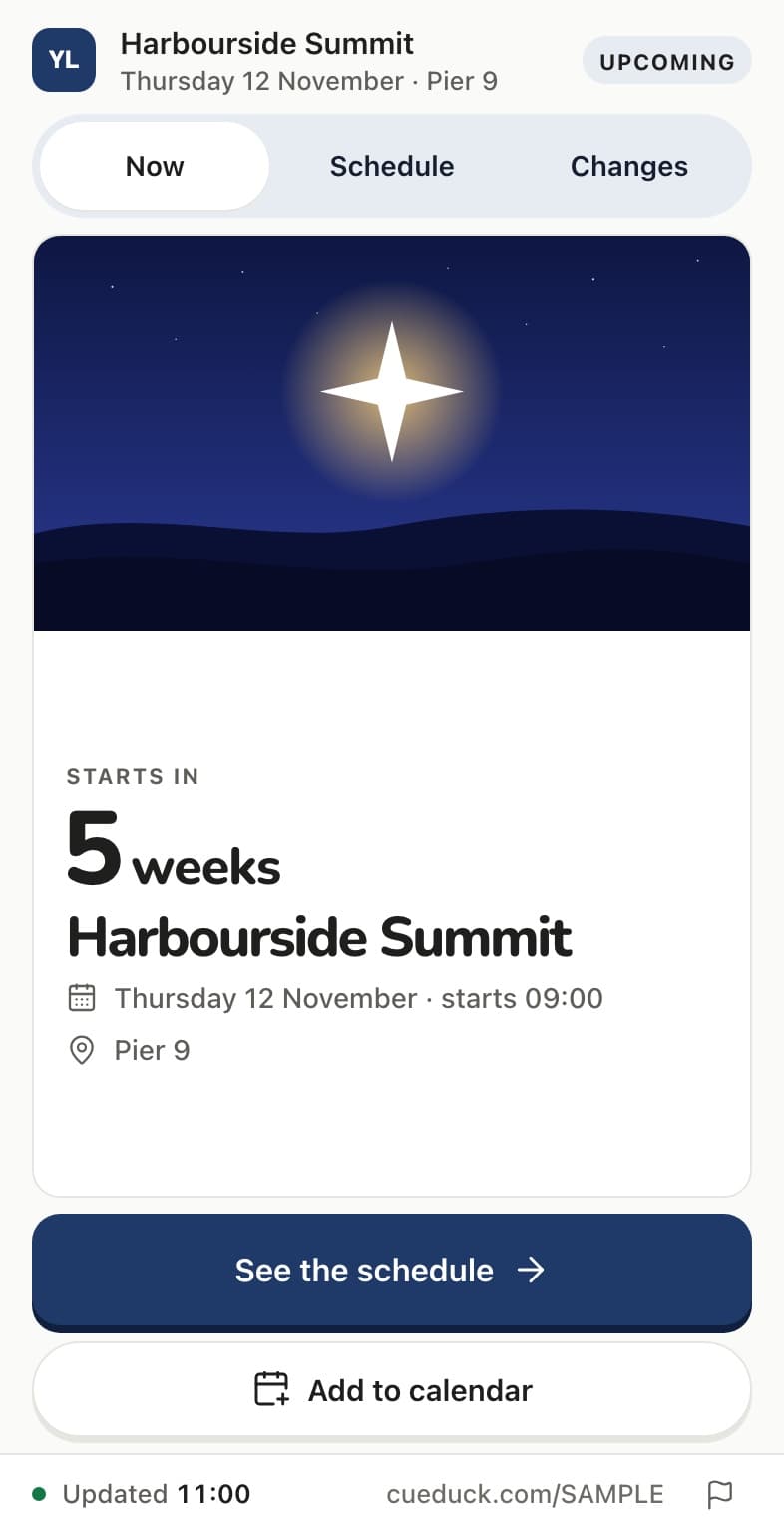
Publish your programme once. Guests scan a QR to see what’s on, who’s speaking and what changed. No app, no account.
- Free to publish
- No guest app or account
Guest at an event? Enter the Board code
Or scan the QR at the venue.
Northwind Summit 2026
Wednesday 14 October · Kings Place




Three Board shapes.
One thing at a time, several rooms at once, or one main moment. It follows the rooms you add.
- 01
Conference
One thing at a time: what’s on now, and what’s next.CueDuck for conferences
- 02
Festival
Several things at once: every room, and one that’s closed.CueDuck for festivals
- 03
Wedding
The day in order: the ceremony, then everything after it.CueDuck for weddings
For organisers
Everything the day needs, in one place.
From the first spreadsheet to the last room change. Free to publish; Pro adds your branding, files and analytics.
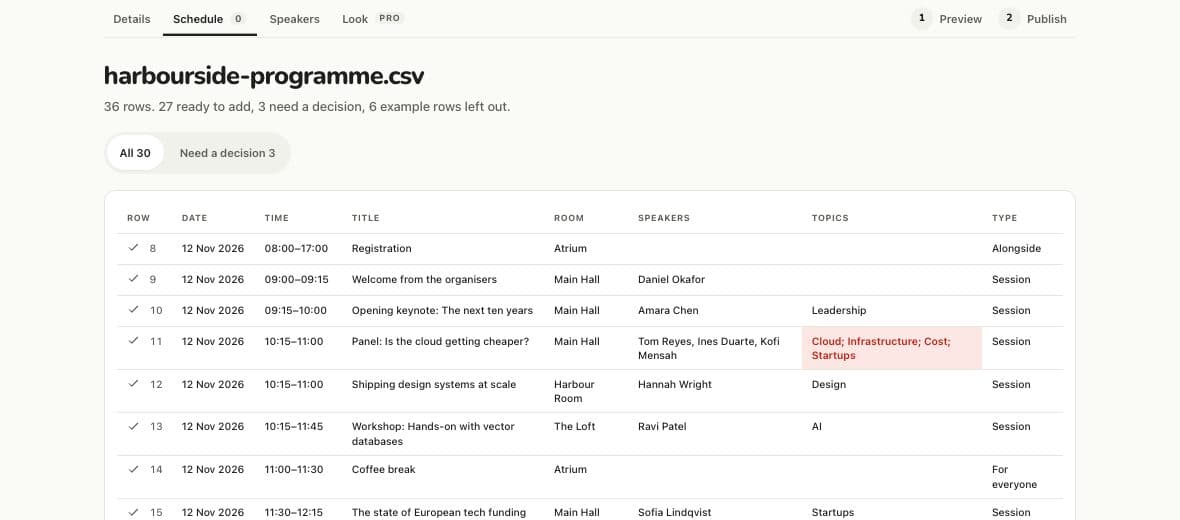
Import a programme
Add a whole schedule from a CSV or Excel file, and check every row before it’s added.
Speaker profiles
A photo, a role and a bio for everyone on the programme. Import them from a spreadsheet.
Edit while live
Change a time or a room during the event. Every open Board shows it within seconds.
The foyer screen
One address on any screen with a browser, readable from across the room.More about the foyer screen
Files on sessionsPro
PDFs guests open from the session, such as slides and handouts.
Custom brandingPro
Your logo replaces CueDuck’s on the Board, the foyer screen and the posters.
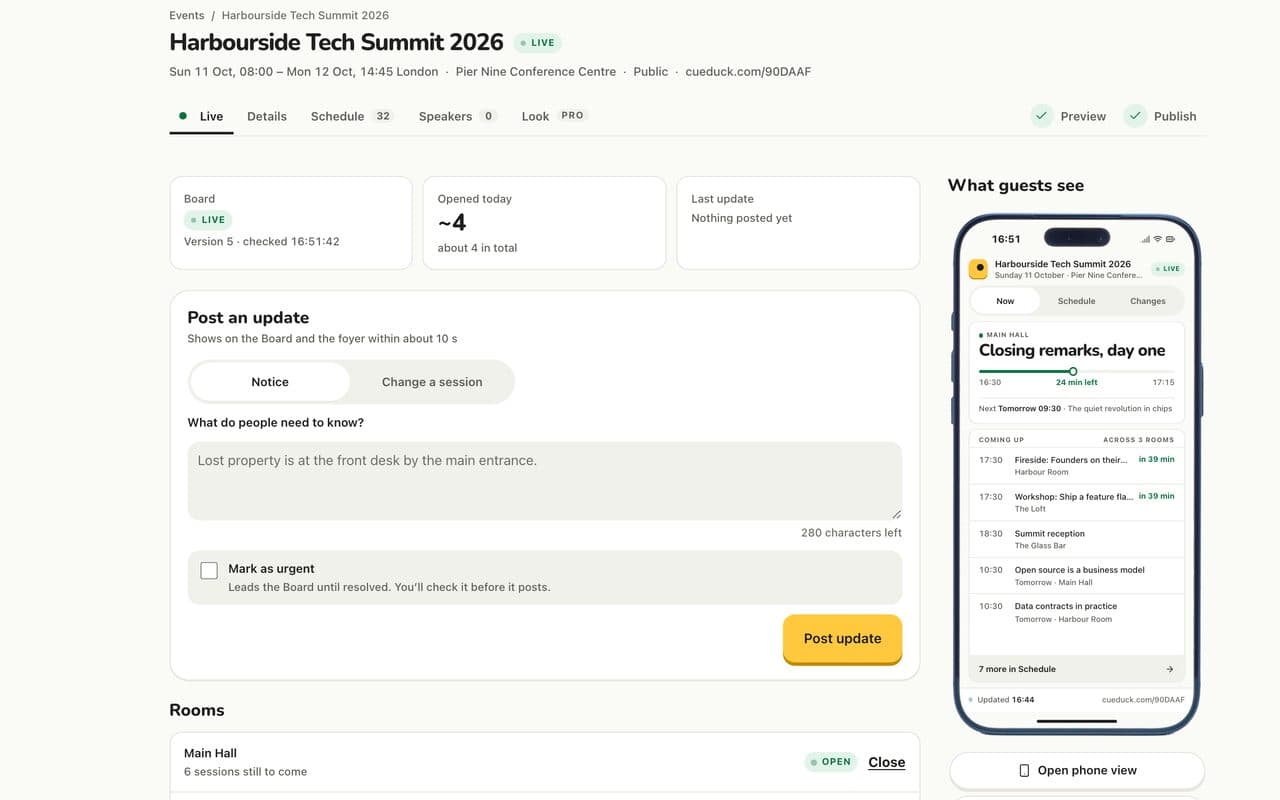
Post once. Every open Board and the foyer screen show it.
When something changes, select it and post the update. It appears on the foyer screen and every guest’s phone within seconds.
From a phone, in seconds, while walking the venue.Posted at 11:12. It’s on the foyer screen and every phone.
Do guests need to download an app?
No. A Board opens in the phone’s browser. Guests scan the QR code at the venue, or type the six-character code at cueduck.com.
What happens when the schedule changes on the day?
Change the time or the room once. Every open Board and the foyer screen show it within about 10 seconds, with the old time crossed out. Nobody needs to refresh.
Can I import my programme from a spreadsheet?
Yes. Upload a CSV or Excel file and check every row before it’s added. Exports from Sched, Eventbrite and Whova are recognised.
Can I show the schedule on a screen at the venue?
Yes. The foyer screen is one address that works on any screen with a browser, readable from across the room, with the QR code always on screen.
What if the Wi‑Fi at the venue is poor?
The Board keeps the last version it had, says when that was, and catches up by itself when the connection returns. It never shows an old schedule as current.
Is CueDuck free?
One published Board at a time is free, for any number of guests. Pro adds your branding, files on sessions and analytics: £29 for one event, or £149 a year. See pricing
Give your next event a Board.
Type in your schedule, publish, and put the QR on the door. When something changes, post it once from your phone.
Free for one event at a time. Pro from £29. See pricing
- Free to publish and runOne published Board at a time, while it is Upcoming or Live. No card needed, and it isn’t a trial.
- No guest accountsGuests scan the QR and read. Nothing to install, nothing to sign up for.
- Marks itself when it may be out of dateIf the connection drops, the Board keeps the last version and marks it as possibly out of date.